When your check engine light comes on, the right OBD2 scanner helps you quickly identify the fault, read and clear codes, and verify repairs. This guide highlights five dependable options for different budgets and DIY skill levels, showing who each scanner is best for and why. Whether you’re a weekend mechanic, a professional, or a driver who wants quick insights, these tools give clear DTC definitions, live data, and essential readiness checks to keep vehicles performing well.
Buyer snapshot: The following table summarizes the five selected scanners, who they’re ideal for, and why they stand out.
| Product | Best For | Why It Stands Out |
|---|---|---|
| ANCEL AD310 Classic Enhanced Universal OBD II Scanner | Beginners and recreational DIYers | Simple, fast, battery-free operation; clear code reading/clearing and live data |
| MOTOPOWER MP69033 OBD2 Scanner | Budget-conscious users seeking broad compatibility | Wide protocol support and multilingual display; straightforward interface |
| BlueDriver Pro Next Gen | Advanced users and professional guidance with repair reports | Phone-to-scan with extensive code coverage and technician-verified fixes |
| VDIAGTOOL VD10 | DIY enthusiasts needing robust code lookup | Large built-in DTC library and clear definitions on TFT screen |
| Innova 5210 OBD2 Scanner | All-around tool with battery testing | Live data, I/M readiness, and battery health checks in one device |
ANCEL AD310 Classic Enhanced Universal OBD II Scanner
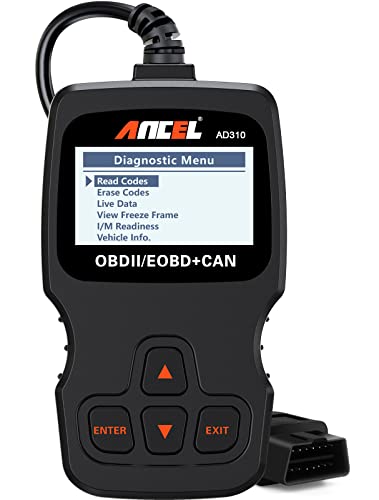
The ANCEL AD310 is a compact, affordable OBD II scanner designed for quick fault-code reading and clearing on most 1996 and newer vehicles. It provides clear diagnostic trouble codes, reads live data, and displays freeze-frame information and I/M readiness. Best for DIYers who want fast answers without extra features. It is battery-free, drawing power from the vehicle via the OBDII port, making it a simple plug‑and‑play option.
Who it’s for: Ideal for drivers who want fast, no-frill diagnostics and for hobbyists who value portability. It’s particularly suitable for cars where you primarily need to identify the emission-related codes and confirm whether repairs resolved the issue.
Limitations: It lacks advanced coverage for ABS, SRS, or transmission codes and doesn’t provide advanced repair reporting. Use it for basic fault-detection and clearing.
MOTOPOWER MP69033 Car OBD2 Scanner

The MOTOPOWER MP69033 offers broad protocol support and a practical 2.8-inch LCD display. It can read and erase codes, view freeze frames, and show live data, making it a solid choice for users with a wide range of vehicles from 1996 onward. Its multilingual display (English, German, Dutch, Spanish, French, Italian) adds flexibility for multilingual owners or shops.
Who it’s for: Best for budget-conscious owners who need a straightforward tool with broad vehicle compatibility and easy-to-read results. It’s suited for quick checks, not in-depth professional repairs.
Caution: While capable, it does not provide extensive telematics or repair‑specific guidance beyond built-in code definitions. Consider pairing with a more feature-rich tool for complex diagnostics.
BlueDriver Pro Next Gen OBD2 Scanner
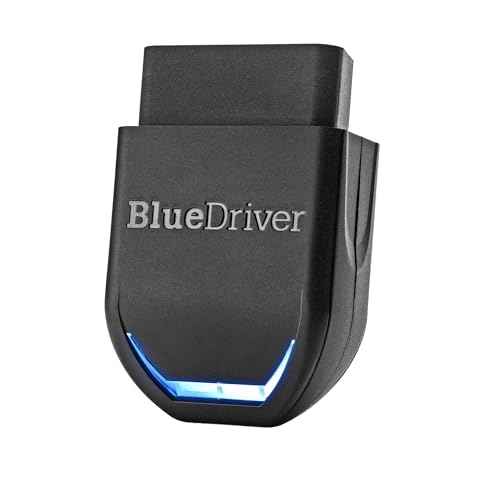
The BlueDriver Pro Next Gen is a professional-grade OBD2 scanner that pairs with iPhone or Android devices. It provides extensive code reading and clearing capabilities across engine, ABS, SRS, TPMS, and more on supported vehicles. It offers unlimited, technician-verified repair reports matched to your VIN and live data you can monitor while driving.
Who it’s for: Designed for serious DIYers and professionals who value detailed repair guidance and extensive code coverage. It’s best for users who want ongoing access to repair reports and a mobile-first interface.
Limitation: This is more feature-rich and depends on a compatible smartphone app; some users may prefer a standalone device with a built-in screen for simpler setups.
VDIAGTOOL VD10 OBD2 Scanner
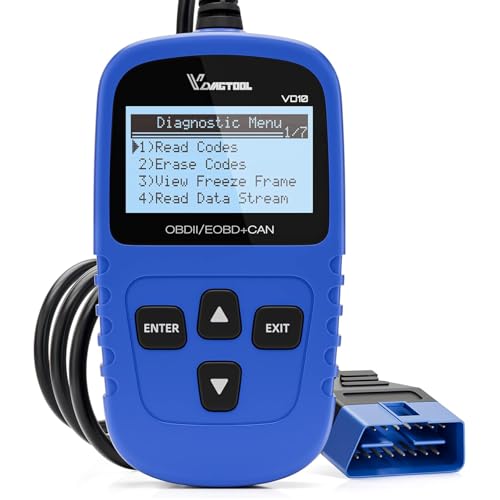
The VDIAGTOOL VD10 is designed for DIYers who need reliable code retrieval and definitions with a built-in DTC database of more than 3000 codes. It reads, clears, and provides explanations for fault codes, supports I/M readiness, and displays vehicle information for quick troubleshooting. It emphasizes a straightforward, TFT-screen experience with easy-to-understand results.
Who it’s for: Ideal for hobbyists and light-duty users who want a robust, built-in code library and fast, explained results without needing internet lookups. It’s well-suited for routine maintenance checks and quick repairs.
Limitation: The device focuses on engine-level diagnostics and basic systems; it may not cover every advanced module or provide the deepest level of diagnostic data available on higher-end models.
Innova 5210 OBD2 Scanner & Engine Code Reader

The Innova 5210 combines OBD2 scanning with battery testing capabilities. It reads and clears check engine and ABS codes (coverage may vary), displays live data, and helps monitor engine performance. It also provides a battery tester to assess alternator health, which helps prevent roadside failures and supports more proactive maintenance decisions.
Who it’s for: A good choice for users who want an all-in-one device for engine codes and battery health. It suits drivers who value a single tool that covers diagnostics and battery checks in one session.
Limitation: Coverage for ABS and other subsystems may vary by vehicle. Confirm compatibility for your specific models before relying on it for multi-system diagnostics.
Buying Guide: Key Purchase Considerations
What should I look for in a car diagnostic scanner?
- Vehicle compatibility: Ensure the scanner supports your car’s year, make, and model, especially if you own a newer vehicle or a passenger car from outside the US.
- Code reading versus live data: Decide if you mainly need fault codes or if you also want real-time sensor data, freeze-frame information, and I/M readiness checks.
- On-device display vs. app-based: Some scanners have built-in screens, while others pair with mobile apps. Consider whether you prefer a standalone device or a smartphone-connected setup.
- Specialized coverage: If you need ABS, SRS, TPMS, or EVAP testing, verify the tool’s capabilities include those subsystems for your vehicles.
- Data stability and update frequency: Look for tools with reliable DTC libraries and the ability to update code definitions over time if needed.
- Power source: Most OBD2 scanners draw power from the vehicle. If a device requires an external battery, factor that into your use case.
- Ease of use: For DIYers, confirm that the interface is clear, menus are logical, and error codes are explained in plain language.
How to Use Your OBD2 Scanner Effectively
Plug the scanner into the OBDII port, usually under the dashboard. Turn the ignition to the Accessories position or start the engine, depending on the device. Follow on-screen prompts to read codes, view live data, and run any available readiness checks. Clear codes only after you have addressed the underlying issue to avoid masking problems.
Frequently Asked Questions
- Do I need an internet connection for OBD2 scanners? Some models rely on built-in databases; others use apps that require connectivity for full code definitions. Check the device’s ecosystem before purchasing.
- Can these scanners fix problems automatically? No. They read and interpret codes, but repairs require manual work or professional service. They guide you to likely causes but do not perform repairs.
- Will a scanner work on any vehicle? Most OBD2 scanners work on 1996 and newer vehicles that conform to OBD2, but always verify compatibility with your specific model and engine system.
- Is a battery tester in an OBD2 scanner useful? Yes, it helps monitor the health of the car’s battery and alternator, which can prevent unexpected failures while diagnosing or driving.
- How often should I update code definitions? For tools with online updates, check periodically, especially for newer model-year vehicles with updated emission systems and controller software.