The top choice depends on your needs: basic fault code reading and clearing, real-time data, or advanced reports. This guide highlights five trusted OBD2 scanners for 1996 and newer vehicles, with clear strengths for different buyers. It helps you decide who should choose each option—whether you’re a weekend DIYer, a professional, or someone who wants Bluetooth convenience. Below is a quick comparison table of the selected products to help you compare at a glance.
| Product | Best For | |
|---|---|---|
| ANCEL AD310 | Casual DIYers and beginners | Fast code reading/clearing, simple interface |
| MOTOPOWER MP69033 | Multilingual, broad protocol support | 9 protocols, clear LCD, easy power from OBDII |
| BlueDriver Pro Next Gen | Those needing deep reports and smartphone integration | Unlimited repair reports, live data, extensive code coverage |
| VDIAGTOOL VD10 | DIYers who want DTC definitions on a TFT screen | Built-in DTC definitions, freeze frame, I/M readiness |
| Innova 5210 | All-around diagnostic with battery testing | OBD2 live data plus battery health checks |
ANCEL AD310 Classic Enhanced OBD II Scanner
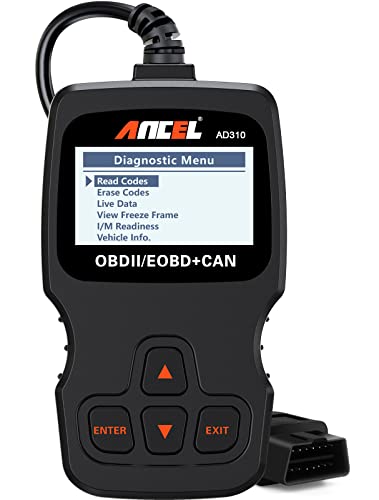
The ANCEL AD310 is a compact, reliable OBD II scanner designed for quick fault code reading and clearing on vehicles from 1996 onward. It supports clear emission-related codes, reads live data, freeze frames, I/M readiness, and vehicle information. Best for beginners and hobbyists who want fast results without extra features. Limitations include a basic display and fewer advanced diagnostics compared with higher-end models. This device draws power directly from the vehicle and does not require separate batteries or chargers.
MOTOPOWER MP69033 Car OBD2 Scanner

The MOTOPOWER MP69033 offers broad protocol support (9 protocols) and a clear 2.8″ LCD display for real-time data. It can read, erase codes, view freeze frames, monitor I/M readiness, and provide vehicle information. It is well suited for users who need multilingual support and a larger display for easy reading. A limitation is that it relies on the device’s screen, which may be harder to read in bright sunlight and lacks the deeper repair guidance found in higher-end tools.
BlueDriver Pro Next Gen OBD2 Scanner
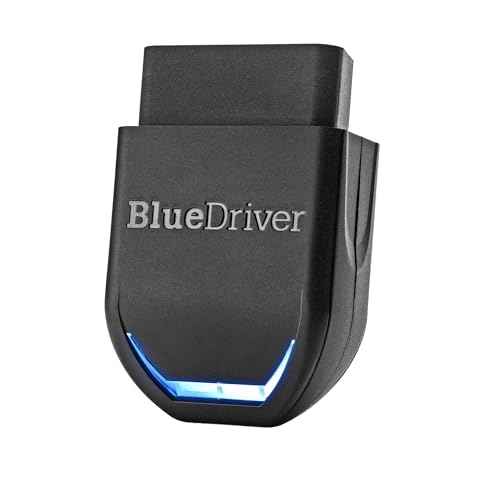
BlueDriver Pro Next Gen turns a smartphone into a powerful diagnostic tool. It provides unlimited, technician-verified repair reports linked to your VIN, supports extensive checks including ABS, SRS, TPMS, and more, and streams live data. This is best for users who want professional-grade insights without leaving home and prefer an app-driven experience. A potential limitation is subscription-free access to some features; the depth of data improves with ongoing usage of the app’s repair database.
VDIAGTOOL VD10 OBD2 Scanner
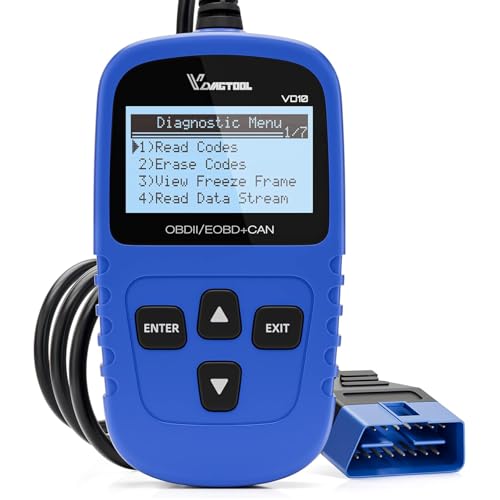
The VDIAGTOOL VD10 is positioned as a must-have for DIYers seeking quick diagnostics with clear DTC definitions. It reads and clears codes, shows live data, and displays freeze frames and I/M readiness. The built-in DTC database (over 3000 codes) helps users quickly interpret issues. It is best for users who want rapid, offline code lookup directly on the device. A caution: data depth may be less comprehensive than premium scanners for newer, highly specialized modules.
UMEIJA OBD2 Scanner Reader Bluetooth Wireless
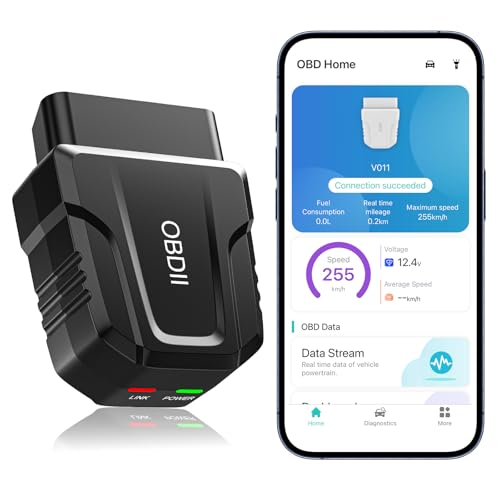
Note: The UMEIJA option is included here as an additional context for readers who want Bluetooth wireless operation and app-based interpretation. This scanner provides comprehensive performance testing, fault clearance, live data, VIN retrieval, and diagnostic reports. It’s suitable for iOS and Android users who prefer app-guided troubleshooting. Best for smartphone-centric users who value mobile convenience and guided analysis. A potential limitation is reliance on the companion app for full functionality, which may require regular updates.
Buying Guide: How To Choose Your Car OBD2 Scanner
What features matter most for your needs?
Basic use: Look for fast code reading/clearing, clear screen, and reliable power from the OBDII port. If you primarily want to know why the check engine light is on, a mid-range scanner with a straightforward interface is ideal.
Do you prefer Bluetooth or wired connections?
Bluetooth scanners (like BlueDriver and some UMEIJA models) work with smartphones and tablets for on-the-go diagnostics. Wired, standalone units (like the ANCEL AD310, MOTOPOWER MP69033, and VD10) provide direct reads without needing a phone, which can be more reliable in tough lighting or low battery scenarios.
How important are live data and repair guidance?
If live data visualization and repair guidance matter, choose tools that offer real-time charts, playback, and technician-verified repair reports. BlueDriver, for example, excels in repair guidance, while others focus more on data readouts.
Vehicle coverage and protocol support
Confirm that the device supports your vehicle’s year, make, and model. Most tools support 1996 and newer vehicles with OBD2 or CAN, but some advanced features depend on specific protocols.
Ease of use and learning curve
Beginners benefit from devices with large displays, simple menus, and clear DTC definitions. Pros may prefer more in-depth data, broader protocol coverage, and additional modules like battery testing.
FAQ
- What is an OBD2 scanner used for? It reads diagnostic trouble codes from a vehicle’s onboard computer, helps identify problems, and can clear codes when repairs are complete.
- Do Bluetooth OBD2 scanners require an app? Many do; apps present data in charts, provide repair guidance, and enable live data streaming. Some models also work as standalone devices without an app.
- Can I use these scanners on any car? Most 1996 and newer cars with OBD2 or CAN protocols are compatible. Verify year, make, model, and protocol support for each tool.
- Is a higher price always better? Not necessarily. The right tool depends on your goals: basic fault reading, advanced diagnostics, or professional-level reporting.
- Will these scanners fix the car automatically? No. They identify problems and offer guidance; repairs must be performed manually or by a professional.
- Do these devices require batteries? Most plug directly into the OBDII port for power; some Bluetooth models rely on the vehicle’s power or the phone’s battery.